
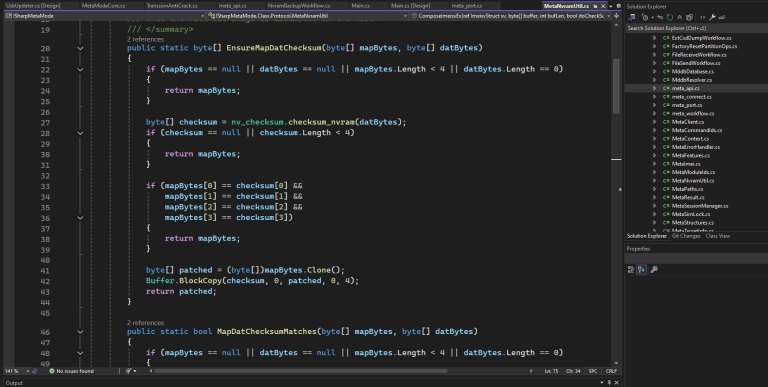
Mediatek MetaMode Native Protocol Source Code is a commercial C# codebase for people who want to build their own META-mode service tools. It is not a wrapper around MetaCore.dll, and it is not built on closed Modem META API shims.
We spent a long time looking at how real devices behave on the wire (BROM / Preloader into META USB, file ops, NVRAM, partition tables, IMEI repair, factory reset, EMMC checks, and a few vendor-specific META jobs). What you get is managed protocol code you can drop into your product, rename, and keep extending.
This is not Modem META API. It is a native protocol stack: framing, command IDs, session handling, USB/COM transport, and workflow logic written directly in C#.
Whats news?
2026.08.15:
- FRP Reset support on Infinix Hot 70 Pro 5G android 16 (worldwide first)
- partition management updated
- optimized codes
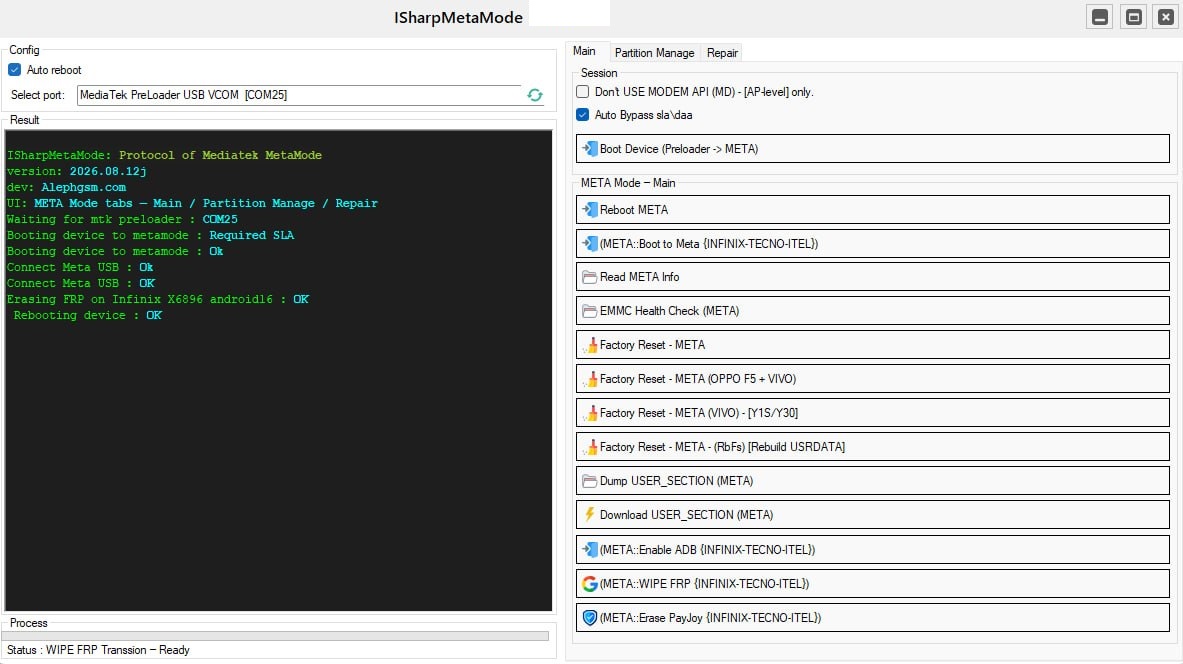
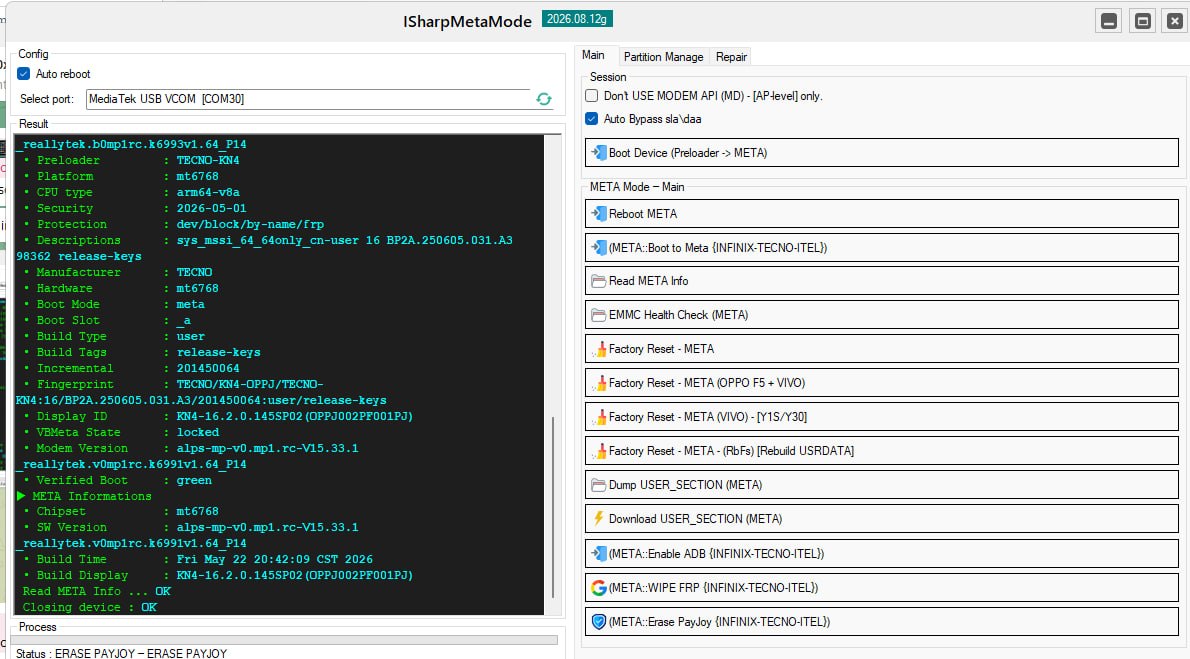
2026.08.12:
- Boot to metamode: supported new infinix device with firmware security update 2026.05+ (sla challenge) (offline)
Why tool vendors choose this stack
A lot of “META solutions” on the market are basically a UI sitting on top of an opaque DLL. That works until it doesn’t. Builds break, licenses get weird, updates show up when the vendor feels like it, and you have no real control when something changes.
This package is for software owners who want:
- Control over how the protocol behaves and when you ship updates
- META operations that match what you see on real MTK devices
- A modular layout (workflows, session manager, serializers) instead of one giant P/Invoke blob
- Notes and traces from reverse work, not guesswork
- A proper commercial license and someone to talk to when you integrate it
What “native protocol” means here
After a Mediatek phone comes up through Preloader into META mode, the PC talks to it with structured AP commands: connect, file receive/send, NVRAM backup/restore, partition parse, IMEI write, factory helpers, and so on.
The host-side pipeline in this project covers:
- Boot orchestration – Preloader handshake, META USB entry, port detection
- Session management – connect/disconnect, timeouts, progress callbacks
- AP framing – request/confirm IDs, token matching, byte-stuffing where the wire needs it
- File operations –
ParseFile,ReceiveFile,SendFilefor by-name partitions, raw block devices, and sysfs nodes - NVRAM workflows – backup/restore helpers, checksums, MDDB/APDB resolution
- Higher-level jobs – factory reset variants, USERAREA dump/write, NV region dumps, EXT_CSD, Transsion FRP wipe, PayJoy erase, EMMC health, and more
You are not stuck calling into MetaCore.dll. You get the C# modules that actually do the work, so you can read them, patch them, and ship on your own schedule.
Architecture overview
The tree is meant to sit inside a desktop tool (WinForms/WPF) or a headless service:
MetaApi/meta_api.cs– low-level META primitivesMetaSessionManager– connect, disconnect, API ensure/releaseApFtSerializer+MetaCommandIds– wire serialization and command mapFactoryResetPartitionOps– shared partition resolve and raw device I/O- Workflow modules – one class per feature (USERAREA, NV dumps, Transsion FRP, PayJoy erase, and so on)
WireTrace– optional protocol logging when something goes wrong in the field- UI shell – Main / Partition MGR / Repair tabs wired to
MetaModeCore
Most workflows follow the same rhythm: open a META session, run the steps with clear logging, then disconnect cleanly. That makes it easy to expose only the parts your product needs.
Boot and session flow
Supported entry paths include normal BROM/Preloader boot and cases where the device already shows up as META USB. The idea is a field tool that still works across a wide range of MTK generations.
Session lifecycle: Host PC, Preloader, META Mode, ConnectUsb, GetVerInfo, file/partition work, NVRAM/IMEI, workflows, Disconnect.
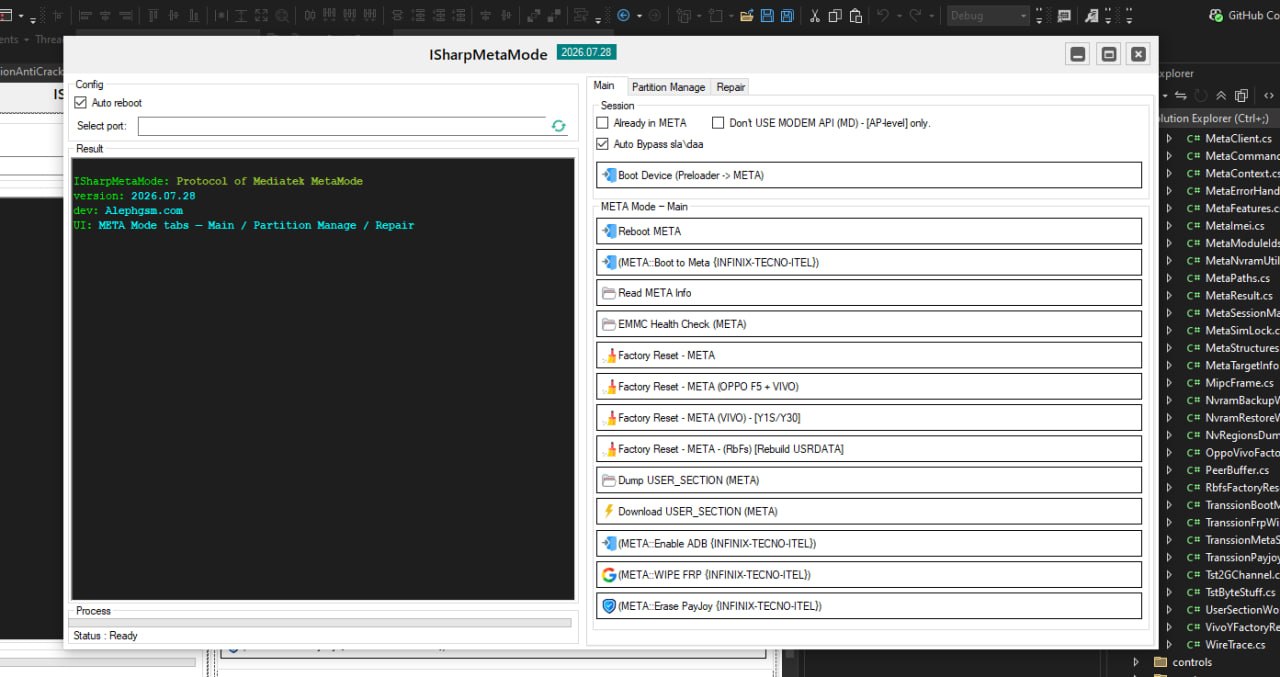
Feature surface (META console)
Main session
- Boot Device (Preloader to META)
- Boot to META for Transsion (INFINIX / TECNO / ITEL)
- Read META Info
- EMMC Health Check
- Factory Reset (generic META)
- Factory Reset for OPPO F5 + VIVO
- Factory Reset for VIVO Y-series
- Factory Reset RbFs path
- Dump USER_SECTION
- Download USER_SECTION
- WIPE FRP for INFINIX / TECNO / ITEL
- Erase PayJoy for INFINIX / TECNO / ITEL
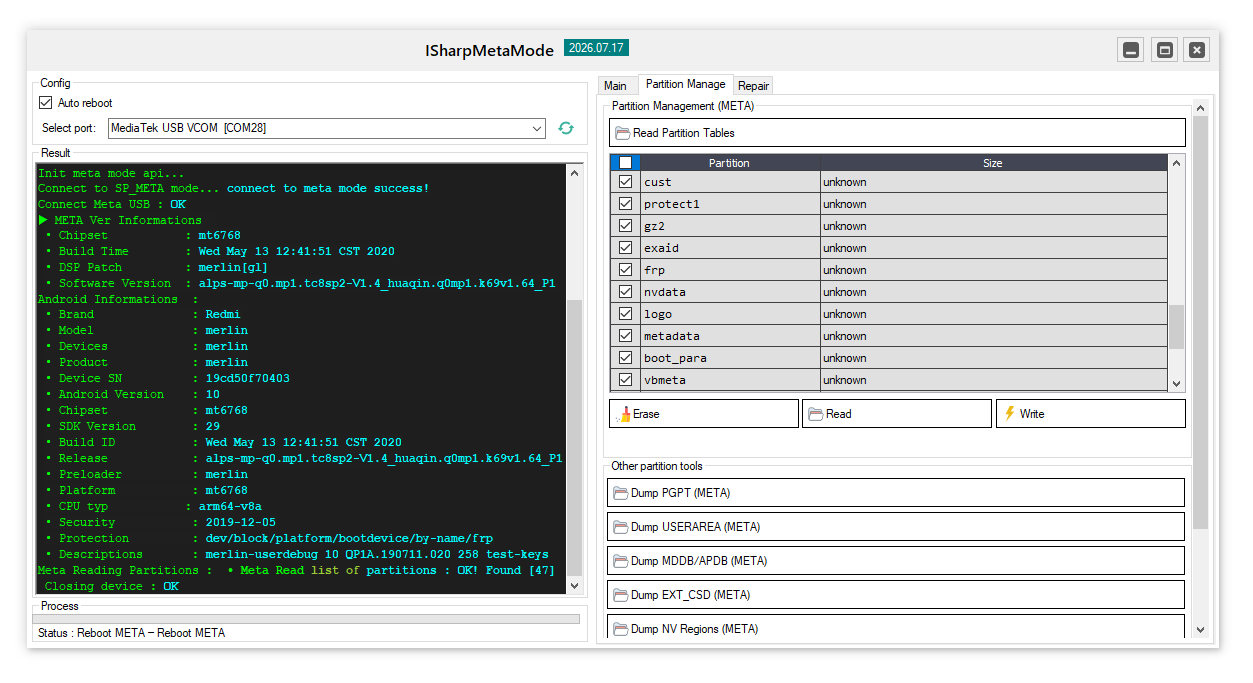
Partition MGR
- Read Partition Tables
- Per-partition Read / Write / Erase
- Dump PGPT
- Dump USERAREA
- Dump MDDB / APDB
- Dump EXT_CSD
- Dump NV Regions (nvram, nvdata, protect*, proinfo, seccfg, and related areas)
- Read / Write / Wipe NVRAM
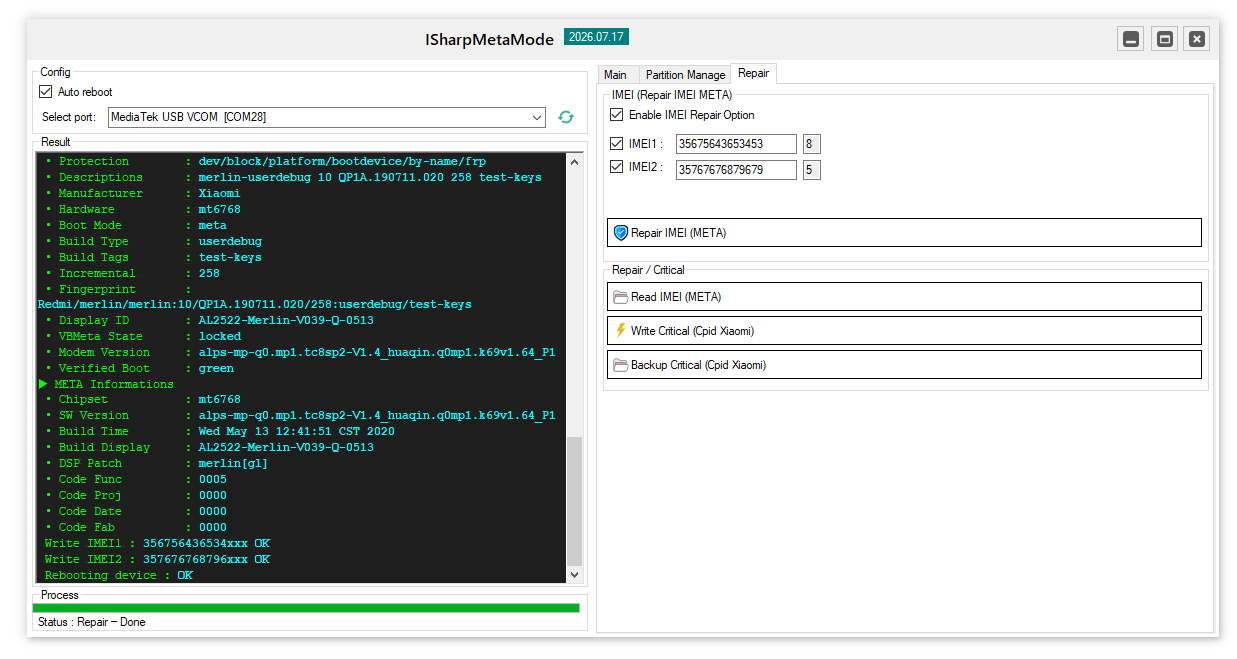
Repair
- Read IMEI (META)
- Repair IMEI for SIM1 / SIM2
- Backup / Write Critical (Xiaomi CPID path)
- NCK / NSCK / SPCK / CCK / SIM-lock read paths
Recent additions
- Erase PayJoy (Transsion) – clears PayJoy lock state on INFINIX / TECNO / ITEL over META, all in managed code, no helper exe or factory DLL side-load
- Boot to META (Transsion) – Preloader to META entry path aimed at Transsion devices, on the same native stack as the rest of the console
Protocol highlights
| Area | Notes |
|---|---|
| USB META connect | Baud / flow-control profile, boot-stop handling, version query |
| Partition resolve | Looks under /dev/block/by-name and platform bootdevice by-name paths |
| USERAREA I/O | Raw mmcblk0 / sdc, not confused with the userdata by-name partition |
| NVRAM backup | Dedicated wire primitive, plus .map / .dat handling |
| NV region dump | Ordered sensitive list, skips missing regions instead of failing the whole run |
| Factory reset variants | Vendor-specific sequences kept in separate workflow classes |
| Diagnostics | EMMC sysfs cluster and EXT_CSD dump as separate ops |
| Tracing | Optional meta_wire_trace.log for support and regression |
Supported CPUs and platforms
Built for the MTK platforms you actually see in servicing work, including current generations. Because you own the source, you can add chip-specific quirks (new layouts, vendor oddities, extra sysfs nodes) without waiting on a DLL vendor.
Primary host target is Windows (.NET Framework). The protocol layer can be pulled out of the WinForms shell if you want WPF, a service, or your own UI.
What you receive
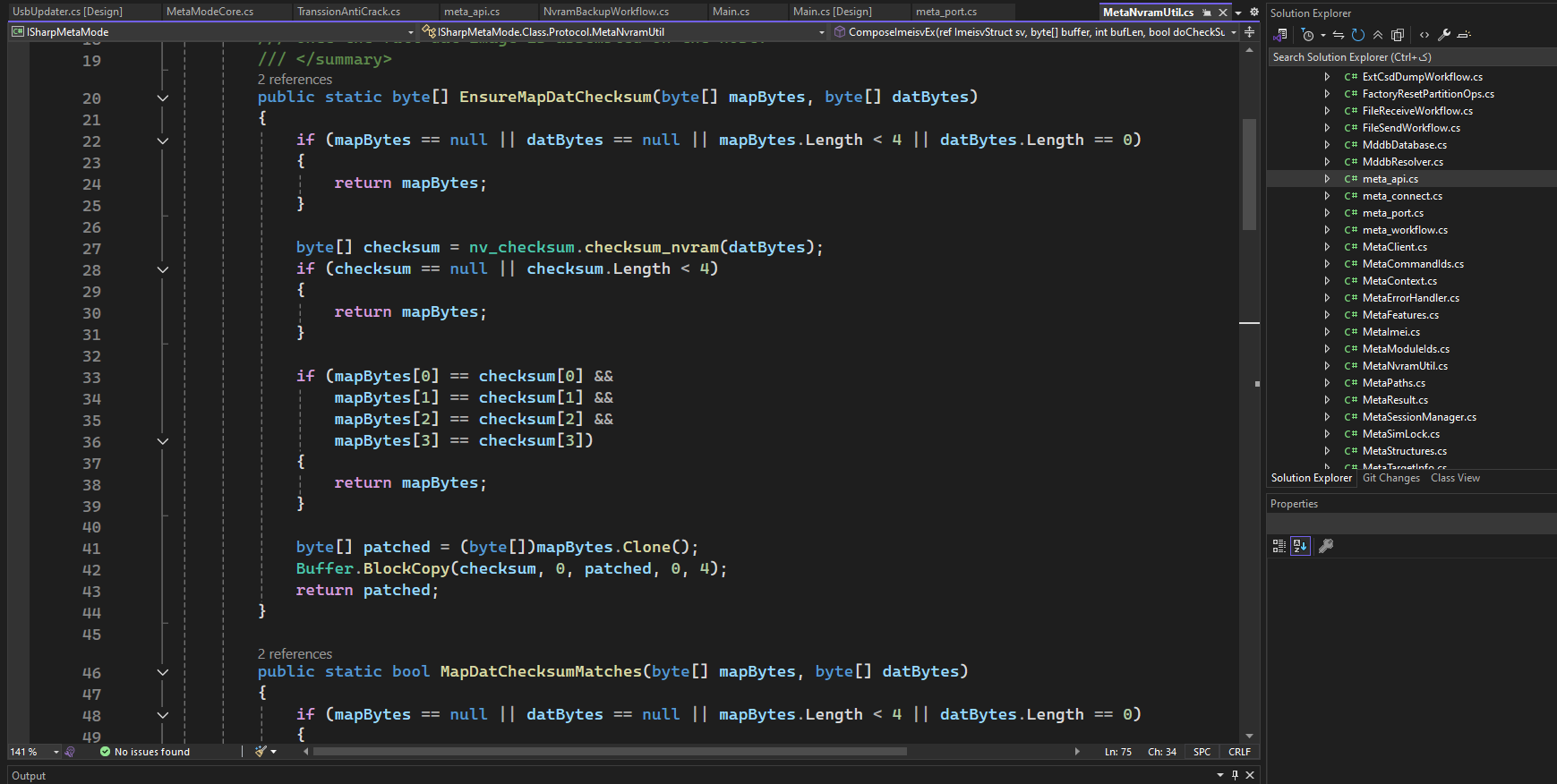
- Full C# source: protocol, workflows, UI shell, NV helpers
- A Visual Studio solution you can build and rebrand
- Internal notes for the harder workflows (factory reset, USERAREA, FRP, PayJoy, NV dumps, and similar)
- Integration notes so you can ship only what your product needs
- Commercial license for use inside your paid tool (terms on request)
- Direct support for onboarding and update questions
We can also help with C# / VB.NET porting, a thinner SDK-style library build, or a white-label UI if you need that.
Who this is for
- Software owners building GSM servicing / flash / repair tools
- Teams that want META protocol ownership instead of living on someone else’s DLL
- Developers with solid C# who want a real reference for MTK META internals
Licensing and purchase
This is a paid commercial source product. It is not freeware, and we do not ship it as a public binary-only tool.
Get in touch if you need:
- License scope (single product / multi-product / OEM)
- Update and support plan
- Custom workflow work on top of the stack
Telegram: @GsmCoder
Quick comparison
| Typical MetaCore wrapper | This native protocol source | |
|---|---|---|
| Protocol visibility | Opaque DLL | Full C# source |
| Update control | Depends on the vendor | You ship the patches |
| Workflow extension | Limited and fragile | Modular workflow classes |
| Field diagnostics | Often nothing useful | Wire trace and structured logs |
| Commercial use | Restricted or unclear | Explicit commercial license |
Last updated July 2026. Still in active development. Newer workflow notes (Transsion Boot to META and Erase PayJoy) are in the changelog sidebar.